We are proud to unveil a dual-software approach to professional panoramic photography. Our mission is to provide 360° creators with a complete, 100% offline toolkit. By keeping all processing local on your machine, we guarantee maximum speed and total privacy for your high-resolution files.
Whether you are looking to create a cinematic atmosphere or need to technically "fix" a shot by removing a tripod, or brand your masterpiece, our two applications work hand-in-hand to perfect your workflow.
Aura 360 Pro: The Cinematic Color & Style Suite
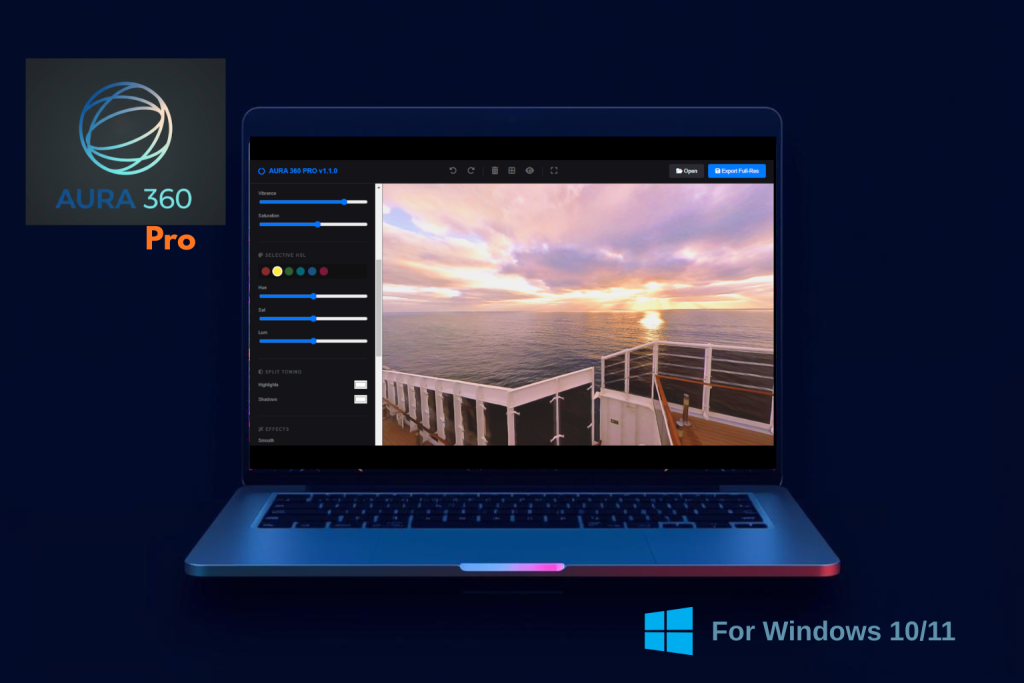
Aura 360 Pro is your dedicated environment for professional color grading and artistic enhancement. It transforms raw panoramic captures into polished, mood-setting experiences. Also available in Microsoft Store.
-
Precision Tone & Color: Go beyond basic brightness. Use dedicated sliders for Exposure, Contrast, and Highlight recovery to pull detail out of blown-out windows.
-
Selective HSL & Split Toning: Target specific color channels (like deepening a blue sky) without affecting the rest of the room. Use Split Toning to inject stylistic warmth into highlights and cool blues into shadows for a high-end cinematic look.
-
Smart Masking Technology: Our intelligent mask separates the sky from the ground automatically. Apply smoothness to the sky to eliminate banding while simultaneously sharpening ground textures like hardwood or stone.
- Creative Effects: Add a professional "Glow" to highlights or use the "Outline" and "Comic" filters for stylized, technical, or illustrative architectural presentations.Custom Presets: Once you’ve dialed in the perfect look for a room, save it as a preset to apply that exact signature style to every other panorama in your project instantly.
Aura Studio Pro: The Master Utility & HDR Dashboard
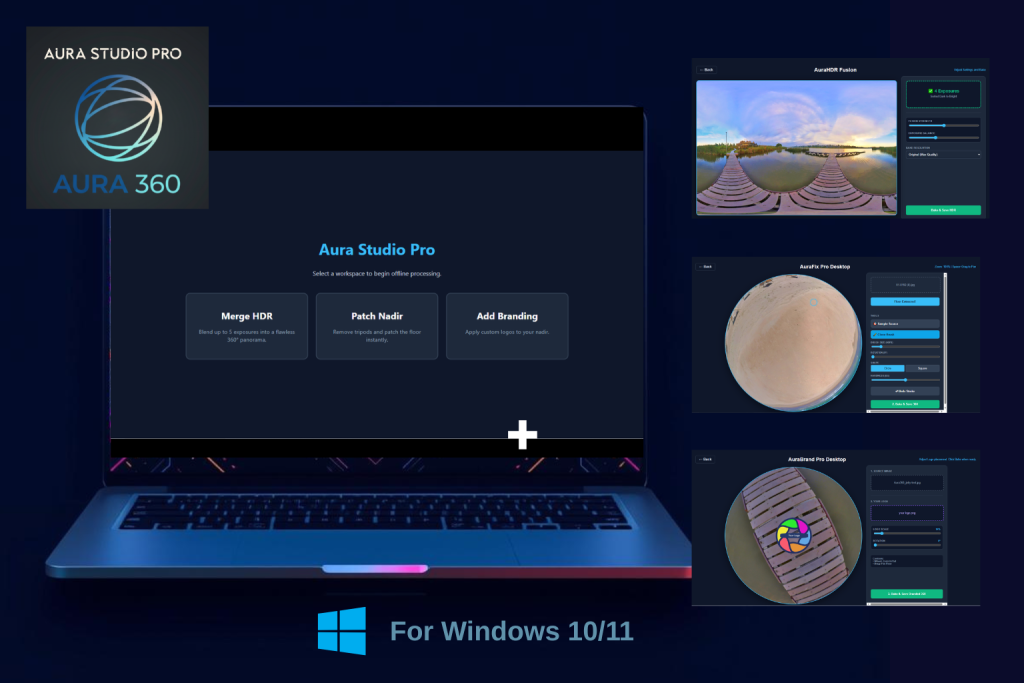
Aura Studio Pro is the technical powerhouse of the suite. It features three specialized modules—AuraFix, AuraBrand, and AuraHDR—to handle the heavy lifting of 360° post-production. Now available in Microsoft Store.
-
AuraHDR (Bracket Merging):Stop struggling with high-contrast interiors. Drop your bracketed exposures into the AuraHDR engine to merge them into a single, perfectly balanced panorama that retains detail in both the brightest windows and the darkest corners.
-
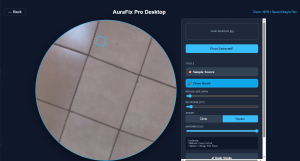
AuraFix Pro (Nadir Patching): The ultimate solution for tripod removal. AuraFix extracts the distorted "floor" of your 360° image and flattens it into a high-resolution square. Use the Clone Brush (with adjustable shapes and rotation to match wood grain or tile seams) to paint out equipment, then "Bake" it perfectly back into the spherical geometry.
-
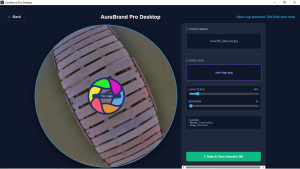
AuraBrand Pro (Nadir Branding): For a corporate finish, use AuraBrand to overlay your logo or a custom watermark directly over the tripod footprint. It ensures your branding is perfectly warped to fit the 360° projection.
-
Metadata Integrity: Every file saved through the Studio Pro engine preserves critical 360 XMP metadata, ensuring your work is immediately ready for Google Street View, Facebook, or professional tour players.
Two Apps, One Seamless Workflow
While each app is powerful on its own, they are designed to be used together:
-
Merge your brackets in Aura Studio Pro to get the perfect exposure.
-
Patch out your tripod or Brand the floor using the AuraFix or AuraBrand modules.
-
Color Grade and apply Smart Masks in Aura 360 Pro to give your project its final, professional "pop."
Both desktop apps available separately or as a bundle in our Shop .
Also available as part of the Lifetime Membership that gives you access to all current and future desktop and web apps.
Get Aura 360 Pro on the Microsoft Store